
Automation tools are no longer a luxury — they’re essential for businesses, freelancers, and tech teams who want to streamline work, eliminate manual tasks, and connect different systems seamlessly. Among all the automation platforms available today, n8n has emerged as a game‑changer — combining the power of enterprise tools with open‑source flexibility.
In this detailed n8n review, we’ll explore what n8n is, how it works, its key features, pricing, real‑world use cases,… and whether it’s the right choice for your automation needs.
Whether you’re a small business owner, a developer, or an operations lead, this review gives you everything you need to decide.
What is n8n?
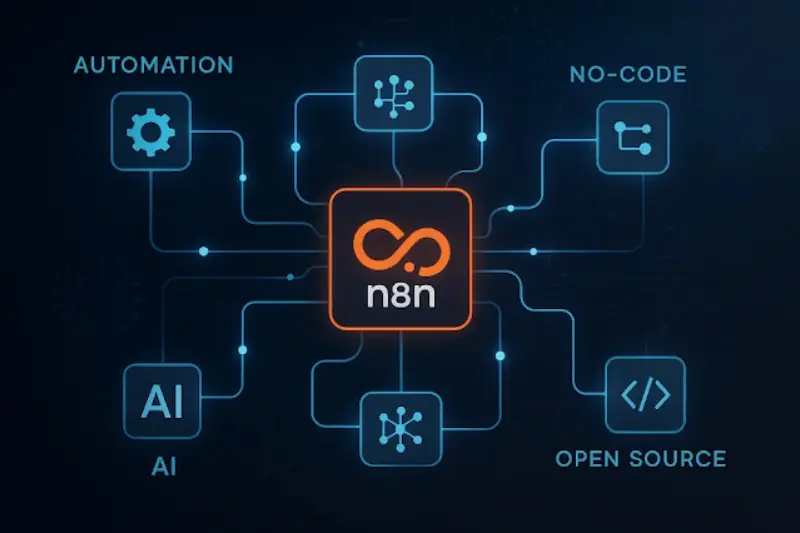
n8n is an innovative, open-source automation tool that empowers users to build complex workflows connecting various apps and services. Its name, short for “Node to Node,” represents the visual nature of the platform, where workflows are constructed by linking nodes that perform specific tasks.
Unlike many commercial automation platforms that limit access to features or charge per workflow execution, n8n is designed for freedom. It gives individuals and organizations full control over their automation processes. Whether hosted on the cloud or on your private server, n8n ensures flexibility, transparency, and privacy.
n8n’s open-source nature means you can inspect the code, contribute improvements, and customize it according to your business logic. This makes it an ideal tool not only for developers but also for non-technical users who want a low-code automation experience.
Why Automation Tools Matter in future
As businesses move more operations to the cloud, the demand for automation continues to grow. In future, digital workflows dominate industries from finance to retail, healthcare to logistics. Companies must optimize repetitive tasks, manage data more efficiently, and ensure their operations are scalable without ballooning overhead costs.
Automation tools like n8n help reduce manual workload, eliminate human errors, and allow teams to focus on strategic tasks instead of routine operations. More than ever, organizations are prioritizing tools that are both flexible and secure, with support for integrating a wide range of third-party applications.
The ability to build, modify, and scale workflows without relying on expensive consultants or developers is key to modern business agility. n8n fits this need perfectly by offering a platform that is easy to use but powerful under the hood.
How Does n8n Work?
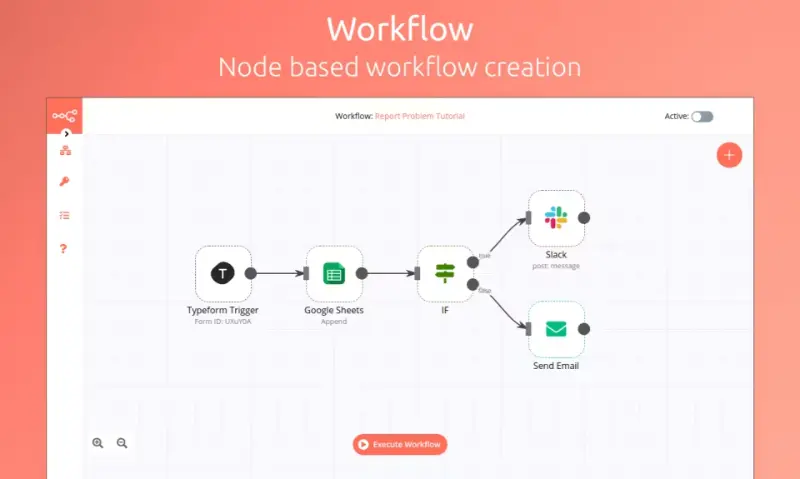
n8n is built around the concept of nodes and workflows. Here’s how these components interact to automate tasks:
Nodes
Nodes are the core building blocks in n8n. Each node performs a specific task. These tasks might include reading data from an API, sending an email, making a calculation, or transforming data into another format.
Nodes can be categorized into types such as:
- App integrations (e.g., Gmail, Trello, Notion)
- Data operations (e.g., merging, splitting, filtering data)
- Logic (e.g., IF conditions, switches)
- Code execution (e.g., JavaScript functions)
- External communication (e.g., webhooks, HTTP requests)
Workflows
A workflow is a connected sequence of nodes. You design it visually in n8n’s editor. For example, you might start a workflow when a new email is received, process the contents, extract attachments, and upload them to Google Drive.
Workflows are modular and reusable. You can create sub-workflows to break down complex tasks, improving maintainability and scalability.
Triggers
Workflows need triggers to start running. n8n supports a wide range of triggers, such as:
- Webhooks (triggered by external apps)
- Scheduled intervals (e.g., every hour)
- Polling from external APIs
- Events from connected apps
Real-Time Execution
n8n offers real-time execution, allowing you to test your workflows step-by-step. This visual debugging makes it easy to identify issues and optimize the flow before pushing it into production.
Core Features of n8n
Visual Workflow Editor
The drag-and-drop editor makes it easy to construct complex workflows without writing code. Each node includes configuration options and real-time data previews, making it accessible to both developers and non-technical users.
You can zoom in and out, rearrange nodes, and annotate your workflows for better documentation.
Integrations with 300+ Applications
n8n supports direct integrations with hundreds of popular applications across various categories:
- Communication: Slack, Discord, Twilio
- Productivity: Google Sheets, Notion, Airtable
- CRM: HubSpot, Salesforce, Pipedrive
- Developer tools: GitHub, GitLab, Bitbucket
- E-commerce: Shopify, WooCommerce
You can also build custom integrations using the HTTP Request node or by creating custom community plugins.
JavaScript and Custom Logic
One of n8n’s most powerful features is the ability to write JavaScript within the workflow. This means you’re not restricted to the default logic blocks. With the Function node, you can:
- Process arrays or objects
- Perform calculations
- Format or sanitize input
- Build decision trees
This blend of low-code and full-code makes n8n suitable for beginner automation builders and advanced engineers alike.
Error Handling
n8n allows robust error handling strategies. You can:
- Set up fallback workflows
- Catch errors and notify team members
- Retry specific steps on failure
- Log errors to external services like Sentry or Loggly
This ensures your automation is reliable, especially in mission-critical environments.
Workflow Versioning
You can maintain multiple versions of a workflow and roll back if needed. This is especially helpful for teams working in collaborative environments.
Hosting Options and Deployment
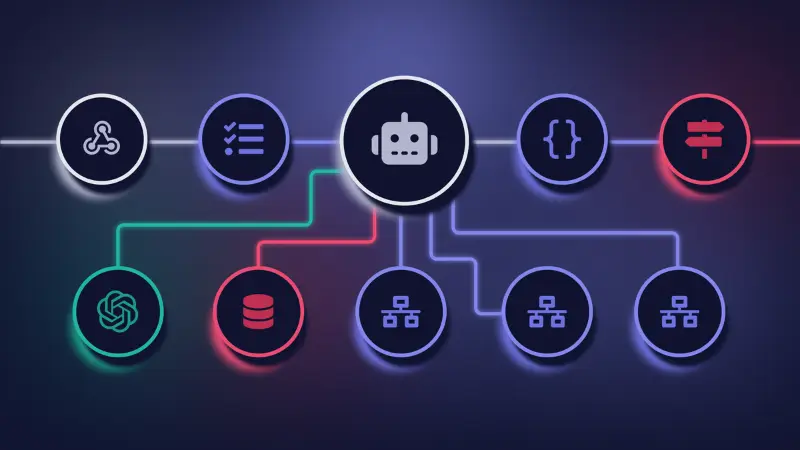
n8n can be deployed in two primary ways:
n8n Cloud
A fully managed service hosted by the n8n team. You get:
- Automatic updates
- Managed security
- Scalable infrastructure
- Priority support
This is ideal for teams that don’t want to manage their own servers.
Self-Hosted
You can deploy n8n on:
- VPS (DigitalOcean, Linode, etc.)
- Docker containers
- Kubernetes clusters
- Raspberry Pi for home labs
Self-hosting gives you complete control over your environment, privacy, and performance. It’s a cost-effective option for developers and enterprises with internal DevOps resources.
Practical Use Cases
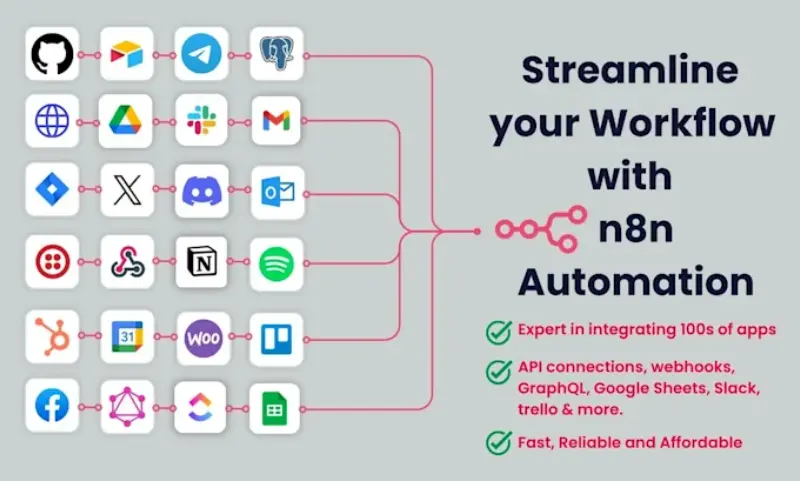
n8n’s flexibility allows it to serve across different industries and teams. Here are a few scenarios:
Marketing Teams
- Automatically sync new leads from Facebook Ads to CRM
- Send welcome emails when someone signs up on your website
- Track campaign analytics in Google Sheets or Data Studio
E-commerce Stores
- Notify fulfillment center when an order is placed
- Sync inventory between multiple stores
- Handle customer support ticket creation in real-time
Developers and SaaS Startups
- Trigger CI/CD builds based on code pushes
- Monitor uptime and send alerts via Slack
- Merge customer data from different tools into a unified dashboard
HR and Operations
- Automate employee onboarding with pre-scheduled emails and tasks
- Update internal databases with time-off requests
- Connect payroll systems with attendance trackers
Finance and Accounting
- Sync invoices between Stripe and QuickBooks
- Schedule monthly financial report generation
- Reconcile bank transactions with records from multiple systems
Benefits of Choosing n8n
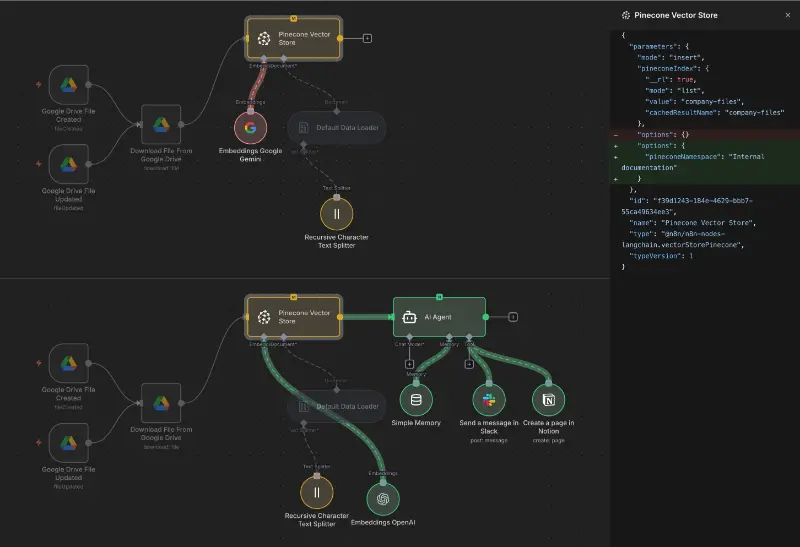
Data Privacy and Ownership
Since you can self-host, you have full control over where your data resides. This is particularly valuable for companies subject to strict compliance standards such as GDPR, HIPAA, or SOC 2.
Scalable and Extensible
There’s no limit to how many workflows you can build or how frequently they execute. This makes it easy to start small and scale automation with your growing business.
You can also extend n8n through custom code or community plugins, unlocking an infinite number of use cases.
Developer-Friendly Yet Accessible
n8n provides a balance between visual simplicity and coding power. Teams with different skill levels can collaborate on workflows without friction.
Cost Efficiency
With the open-source edition, there are no per-user or per-action fees. For startups and teams running on a budget, this presents a clear advantage over commercial tools with paywalls.
Community Support and Documentation
The n8n community is active, responsive, and constantly contributing improvements. You’ll find:
- Pre-built templates
- Educational videos
- GitHub repositories
- Community plugins
Getting Started: Step-by-Step
- Choose whether you want to use n8n Cloud or self-host.
- Sign in to the n8n editor UI.
- Create a new workflow and select a trigger.
- Add application nodes based on the use case.
- Test the workflow using provided sample data.
- Adjust logic using conditions or JavaScript nodes.
- Activate and monitor the workflow over time.
Best Practices for Workflow Design
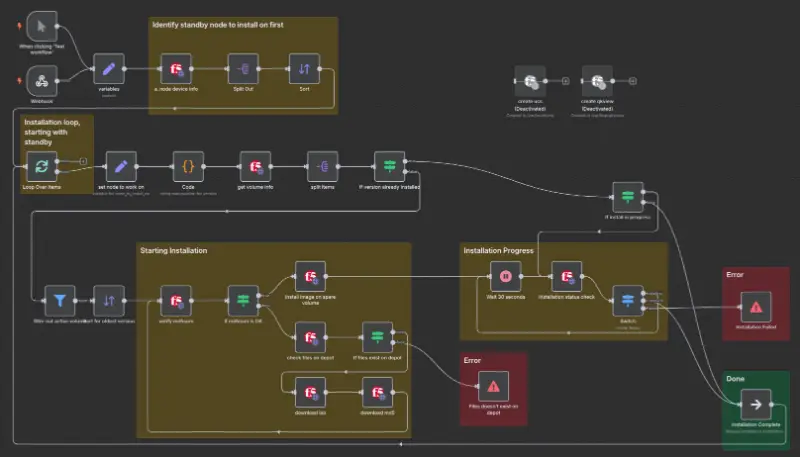
- Use clear, descriptive names for each node
- Document workflow logic using annotations
- Separate logic-heavy parts into sub-workflows
- Regularly back up your workflows
- Monitor executions and adjust based on usage patterns
Security Considerations
n8n offers built-in credential encryption, access control mechanisms, and environment-based secrets management. When self-hosted, you can further secure your instance using:
- VPN access
- Firewalls
- Two-factor authentication
- Role-based permissions
Is n8n Right for You?
n8n is ideal for developers, startups, small businesses, and enterprises seeking:
- An affordable automation platform
- Full control over data and customization
- The ability to integrate across modern and legacy systems
- A platform that grows with business complexity
It may not be suitable for users looking for a plug-and-play experience with zero technical setup, though managed hosting does make the barrier to entry lower.
Final Thoughts
In many years, n8n continues to lead as a next-generation automation platform for teams who value flexibility, privacy, and scalability. Whether you’re trying to automate marketing, operations, sales, or product workflows, n8n gives you the tools to do so efficiently and affordably.
The open-source nature of the tool makes it a great long-term investment, and the active ecosystem ensures ongoing support and innovation. If you’re serious about process automation, it’s time to consider making n8n part of your technology stack.